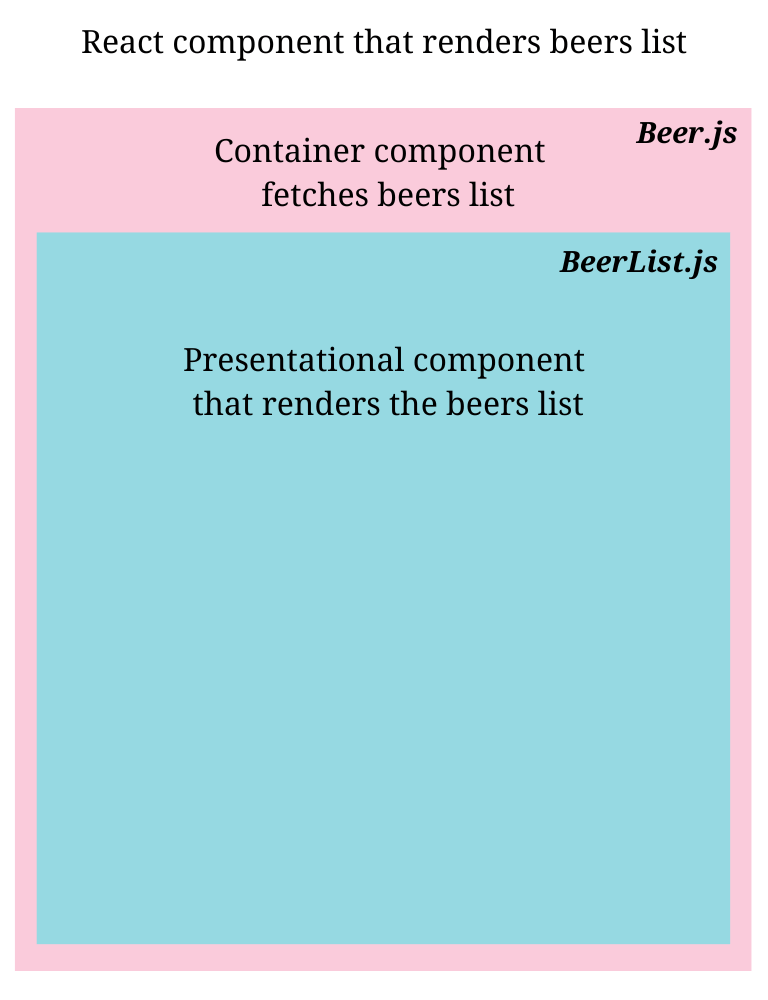
Keeping the application logic isolated in one place is really crucial, as this provides us with a single source of truth that can be referred to for any changes.
Using the container/presentational paradigm in React is one strategy to ensure the separation of concerns. We may distinguish between the application logic and the view by employing this pattern.
This pattern is an alternative to the higher-order component pattern in React.
Containers are components that isolate the application logic, restricting their concerns about what data has to be shown. while presentation components focus on how the data has to be shown.
Let us understand this by creating a component that shows a list of beers. We will create two components that will have their share of concerns.
This is a container component that will contain the application logic to fetch the beer list through an API and store the data in the local state.
The data will be then passed to the presentational component that will render the data.
This component doesn't have to worry about the styling or layout because the presentational component will render the data.
import { useEffect, useState } from "react";
import BeerList from "./BeerList";

const Beer = () => {
  const [beers, setBeers] = useState([]);

  const fetchBeers = async () => {
    try {
      let response = await fetch(
        "https://api.punkapi.com/v2/beers?page=1&per_page=10"
      );
      response = await response.json();
      setBeers(response);
    } catch (e) {
      console.error("Error while fetching beers list", e);
    }
  };

  useEffect(() => {
    fetchBeers();
  }, []);

  return <BeerList beers={beers} />;
};

export default Beer;
This is a presentational component that will receive the data as a prop and render it.
The complete focus of this component will be on the layout, styling, and rendering of the view.
Presentational components are pure components that do not mutate the input data; their sole focus is on rendering the data they have received, so they can also be reused.
import "./BeerList.css";

const BeerList = ({ beers }) => {
  return beers.map((e) => (
    <div key={e.id} className="wrapper">
      <div className="hero-image">
        <img src={e.image_url} alt={e.name} title={e.name} />
      </div>
      <div className="details">
        <span>
          <strong>Name</strong>: {e.name}
        </span>
        <span>
          <strong>Tagline</strong>: {e.tagline}
        </span>
        <span>
          <strong>First Brewed on</strong>: {e.first_brewed}
        </span>
        <p>
          <strong>Description</strong>: {e.description}
        </p>
      </div>
    </div>
  ));
};

export default BeerList;
* {
  box-sizing: border-box;
}

.wrapper {
  display: flex;
  align-items: center;
  flex-wrap: wrap;
  border: 1px solid #000;
  margin-bottom: 10px;
  box-shadow: 0 3px 3px rgba(0, 0, 0, 0.27);
  padding: 10px;
}

.hero-image {
  flex: 0 100px;
}

.hero-image > img {
  width: 100px;
  height: 200px;
}

.details {
  padding: 20px;
  flex: 1;
  display: inline-flex;
  align-items: center;
  flex-wrap: wrap;
}

.details > span {
  flex: 0 100%;
  line-height: 30px;
}
As the Beer.js is the container component, it composes the presentational component within, thus we can just render the Beer.js and it will render the view.